

About Visrax
Monitoring systems for the places where work happens.
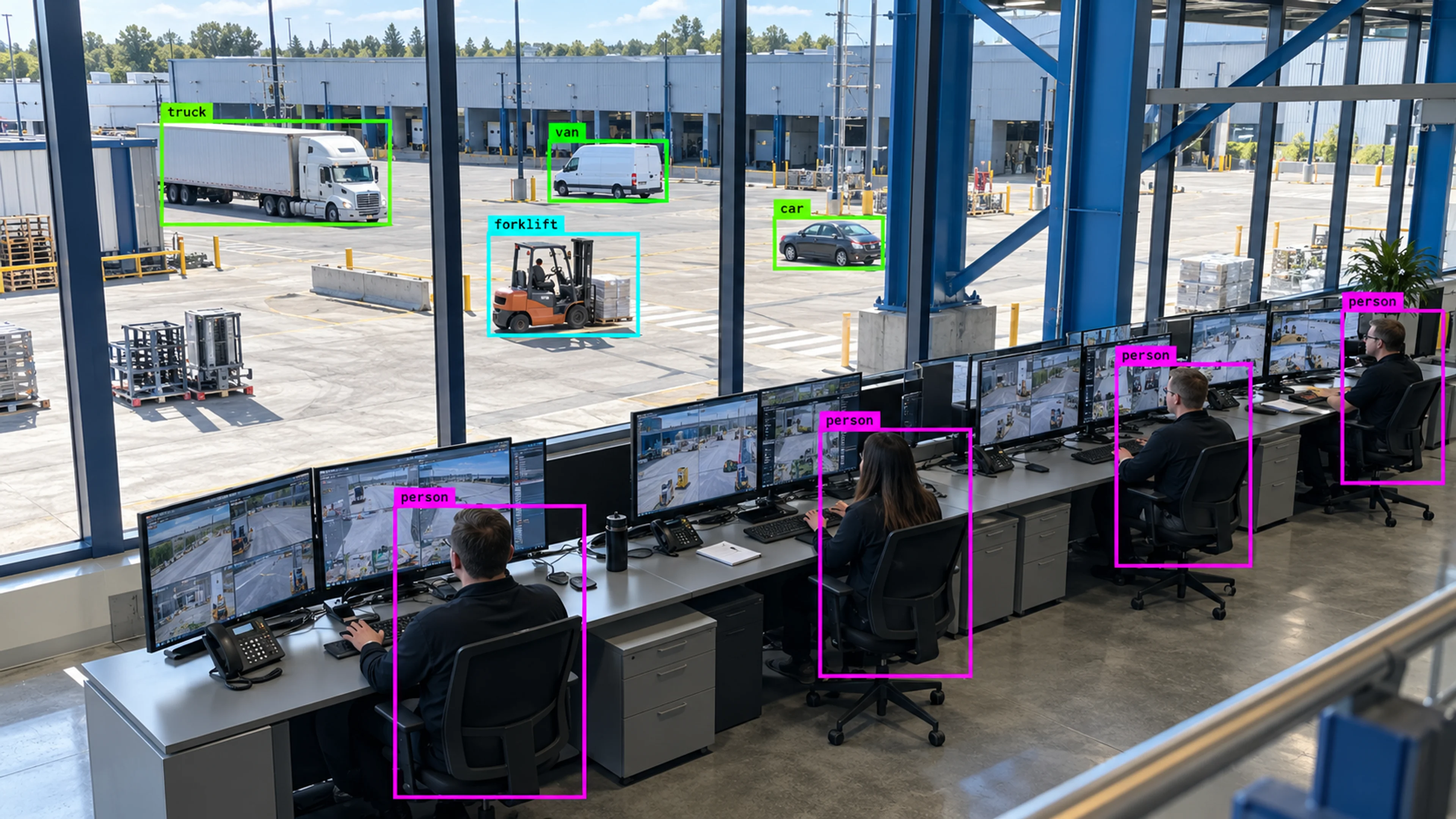
Visrax is AI camera monitoring software that turns the cameras you already have into a monitoring system: real-time object detection, tracking, alerts with evidence, analytics and multi-site visibility.
Why we exist
The cameras were never the problem.
Almost every factory, warehouse, office, store and campus already has cameras on the places that matter. They record continuously, and almost none of it is watched. When something goes wrong, someone scrolls through hours of footage to find the thirty seconds that count.
Visrax was built to close that gap. We treat cameras as sensors and a team’s attention as the scarce resource. The platform detects people, vehicles and equipment, applies the zones and schedules you define, raises alerts with the evidence already attached, and keeps a record of how each one was handled.
We work with the teams who run sites — safety, security, operations and facilities — and we measure ourselves on whether the alerts change what those teams do on a shift.
Detect what matters, keep the context, alert the right team, and learn from the pattern over time.
- 01
Safety teams
Exclusion zones, PPE checks, proximity alerts and visual smoke indicators, with incidents that stand up in a review.
- 02
Security teams
After-hours rules, perimeter zones, restricted-area entries and an auditable evidence trail.
- 03
Operations and facilities
Occupancy, queues, dock and gate throughput, camera health and site comparison across the estate.
How a deployment runs
From site walkthrough to rollout.
Every deployment follows the same five steps. Most teams are live on a pilot within weeks because nothing has to be installed on the cameras.
- 01
Site walkthrough
Walk the site together and agree which cameras and areas matter most.
- 02
Pilot start
Begin with a few high-value checks and confirm alerts reach the right people.
- 03
Camera and area setup
Set up cameras, monitored zones, alert rules, and who can access what.
- 04
Team rollout
Train the people who will receive alerts and review cases day to day.
- 05
Improve over time
Add more locations, refine rules, and adjust reports as operations change.
Trust and control
Your cameras, your data, your rules.
The platform is designed for organisations with real obligations around video: where it is processed, who can see it and how long it is kept.
- Can run on your own premises
- On-site deployment options
- You choose how long footage is kept
- Role-based access for each user
- Secure connections
- Controlled access to evidence
- Full activity history
- Separate access per organization
- Permissions by site
Questions
About Visrax
The questions we are asked most often before a first conversation.
01What does Visrax actually sell?
02Do we need to replace our cameras or VMS?
03Does Visrax identify people?
04Where does our video go?
Next step
Talk to us about your sites.
Tell us about your locations and what you need to catch. We will show you how Visrax is configured for an operation like yours.